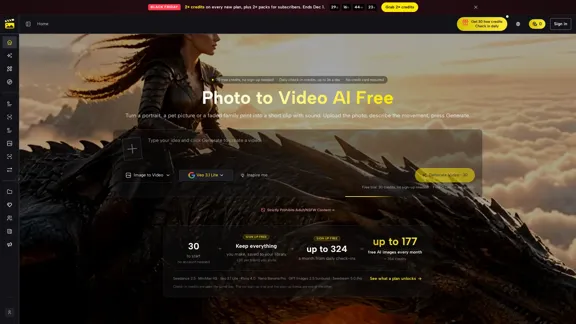
PicVideo is an AI-powered image and video generation platform designed to turn photos into animated videos with AI-generated motion and sound. Users can upload portraits, pet pictures, family photos, product images, or old photographs, describe the desired movement, and generate short video clips directly in their browser. The platform also supports text-to-video, image-to-image, text-to-image, reference-to-video, and start-and-end-frame generation. With multiple AI models, customizable effects, free trial credits, and no-signup access, PicVideo provides a convenient solution for content creators, businesses, families, and anyone interested in AI photo animation.
Photo to Video AI Free - Bring Photos to Life with Sound
Transform your photos into lively videos without any hassle. Just upload a photo, describe the motion you envision, and voilà! You'll receive a short video complete with sound, ready to share. Plus, you can create AI images all in one convenient spot.
Video
Nov 2, 2026
Visit Website
PicVideo Introduction
PicVideo Features
-
AI Photo to Video Generation
PicVideo transforms static images into short animated videos based on text prompts. Users can describe movements such as smiling, turning around, dancing, or moving hair, allowing the AI to create motion from an existing photograph.
-
Free Access Without Registration
New visitors can start using PicVideo without creating an account. The platform provides 30 free credits for initial generation, with no credit card required. Users can also register to access additional features, including daily check-in credits and a personal asset library.
-
Multiple AI Image and Video Models
PicVideo integrates various AI models, including Seedance 2.5, MiniMax H3, Veo 3.1 Lite, Kling 4.0, Nano Banana Pro, GPT Images 2.5, and Seedream 5.0 Pro. Different models support different generation capabilities, video durations, resolutions, and reference inputs.
-
Multiple Video Generation Methods
The platform offers several ways to create videos:
- Image to Video: Animate an existing photograph.
- Text to Video: Generate video scenes from written descriptions.
- Reference to Video: Use reference images to guide character or product consistency.
- Start & End Frame to Video: Define the opening and ending frames of a clip.
- Sketch to Video: Turn sketches into animated scenes.
-
AI Photo Animation Effects
PicVideo provides ready-made effects for different creative purposes. Examples include AI Hugging Video, AI Kissing Video, Talking Pet Video, AI Face Dance Generator, Old Photo Animation, Photo to Cartoon, and Photo to Anime. These effects make it easier to create themed content without writing detailed prompts from scratch.
-
AI Image Generation and Editing
Beyond video creation, PicVideo supports text-to-image and image-to-image workflows. Users can generate new pictures from descriptions or upload existing images to modify elements such as lighting, clothing, backgrounds, and visual styles.
-
Flexible Image and Video References
Depending on the selected model, users can provide a single image, multiple reference photos, video clips, audio cues, or opening and ending frames. These options offer greater control over the generated content and help maintain visual consistency.
-
Browser-Based Access
PicVideo works directly in a web browser on desktop and mobile devices, including iPhone and Android. Users do not need to install a dedicated application to upload pictures, generate videos, preview results, or save their creations.
-
Asset Library and Content Management
Registered users can save their generated images and videos in an Asset Library. This makes it easier to revisit previous creations and manage content across different projects.
-
Support for Multiple Creative Applications
PicVideo targets a broad range of use cases, including social media videos, product advertisements, wedding memories, family photo animation, educational materials, storytelling, and gaming content.
PicVideo How to Use?
-
Choose a clear, well-lit photograph with a recognizable subject. Portraits, pet photos, and product images with minimal visual clutter are good starting points.
-
Upload your JPG, PNG, or WebP image to the Image to Video workspace.
-
Write a short and specific motion prompt. Describe who or what should move and how the camera should behave.
-
Select an appropriate AI video model based on your desired output, video duration, resolution, and audio requirements.
-
If you want more control over the final scene, try Reference to Video or Start & End Frame to Video instead of using a single image.
-
Click Generate and wait for the AI to process your request. Preview the result before downloading your preferred version.
-
If the animation does not match your expectations, adjust the prompt and generate another version. Changing one movement instruction at a time can make it easier to identify what works.
-
Consider creating a free account if you want to save your generated content in the Asset Library and access daily check-in credits.
PicVideo Q&A
What is PicVideo?
PicVideo is an AI-powered image and video generation platform that allows users to animate photographs, generate videos from text, edit images, and create visual content using different AI models. It is designed for both beginners and experienced content creators.
Can I use PicVideo for free without signing up?
Yes. PicVideo provides 30 free credits for users to try its generation features without registration. No credit card is required. However, free creations are public, and the no-signup trial and signup bonus are alternative options rather than cumulative rewards.
How do I turn a photo into a video with PicVideo?
Upload a photograph to the Image to Video tool, enter a description of the movement you want, select an AI model, and click Generate. You can preview the resulting video and download the version you prefer.
What image formats does PicVideo support?
The website lists JPG, PNG, and WebP as supported upload formats for photo-to-video generation. The available image size and pixel requirements may vary depending on the selected AI model.
Which AI models are available on PicVideo?
PicVideo offers multiple image and video generation models, including Seedance 2.5, MiniMax H3, Veo 3.1 Lite, Kling 4.0, Nano Banana Pro, GPT Images 2.5, Seedream 5.0 Pro, and other model variants. Their supported resolutions, durations, and reference inputs differ.
Can PicVideo generate videos with sound?
Yes. Some integrated models support audio generation alongside video. For example, the website describes MiniMax H3, Veo 3.1 Lite, and Kling 4.0 as supporting generated sound. Audio capabilities depend on the model selected.
Can I use PicVideo on my phone?
Yes. PicVideo runs in mobile browsers, including those on iPhone and Android devices. Users can upload photos from their camera rolls, generate videos, and save the results without downloading a separate application.
Can I animate old family photographs?
Yes. PicVideo includes an Old Photo Animation tool that can turn scanned family photographs and historical portraits into short animated clips. Users can describe subtle movements, such as smiling or turning their heads, to guide the result.
Does PicVideo support image editing?
Yes. Its Image to Image functionality allows users to upload an existing picture and describe the changes they want, such as adjusting the background, outfit, lighting, or overall appearance.
Are free creations private?
According to the website, free creations are public. Users should review the platform's privacy policy and applicable account settings before uploading personal, family, or confidential photographs.
PicVideo Price
PicVideo offers a free entry-level experience with 30 credits for users who want to try its AI image and video generation tools without signing up. Registered users can receive daily check-in credits, with rewards increasing up to 36 credits per day according to the website. The platform also offers paid plans and additional credit packs. Promotional offers may provide bonus credits, but the exact subscription prices and credit costs are not specified in the provided website content. Users should visit the official PicVideo pricing page for current plans and detailed pricing information.
* Prices are for reference only. Please refer to the official latest data for actual prices.
PicVideo Evaluation
-
Wide range of AI generation capabilities: PicVideo combines photo animation, text-to-video, image editing, reference-based generation, and multiple creative effects in one platform. This makes it useful for users who want to explore different AI content creation workflows without switching between several services.
-
Accessible free trial: The 30-credit no-signup trial lowers the barrier to entry. Users can test basic generation capabilities before deciding whether to register or purchase a plan.
-
Extensive model selection: Supporting multiple AI models gives users more flexibility when choosing video duration, resolution, audio capabilities, and reference-image workflows. This is particularly useful for creators with different production requirements.
-
Convenient browser-based workflow: The platform does not require a separate application, and its mobile compatibility makes it accessible for casual creators and social media users.
-
Free-tier privacy limitations: One important drawback is that free creations are public. This may discourage users from uploading personal family photographs, private portraits, or commercially sensitive images. Users should carefully review the platform's privacy and content policies.
-
Credit consumption needs attention: The free trial provides a limited number of credits, and different models or generation tasks may have different credit requirements. Users should check the actual generation cost before experimenting with multiple versions.
-
Generation quality may vary: Although PicVideo integrates several established AI models, the final results depend on the selected model, input image, and prompt. Facial details, hands, object consistency, and natural movement may require multiple attempts.
-
Pricing transparency could improve: The supplied website content highlights free credits and promotional bonuses but does not provide a complete breakdown of subscription prices and generation costs. A clearer pricing comparison would help users estimate their ongoing expenses.
Overall, PicVideo is a versatile AI photo-to-video and image generation platform that combines accessible entry-level features with a broad selection of creative tools. Its no-signup trial and model variety make it worth exploring for social media content, product demonstrations, and personal photo animation. However, users should consider its public free creations, credit limitations, and variable generation quality before relying on it for private or professional projects.
Related Websites

Check Details
Whisper Thunder - Free AI Video Creator | Online Text to Video
Whisper Thunder - Free AI Video Creator | Online Text to VideoGenerate stunning 1080p videos from text with Whisper Thunder, the #1 ranked free AI video generator. No watermarks, unlimited use. Transform your ideas into cinematic videos instantly.
0

Check Details
Wan2.5 is an innovative AI video generation model from Alibaba Group that allows you to create stunning videos with advanced cinematic control and dynamic motion generation.
415.79 K

Check Details
MAGI-1 is an innovative, open-source AI Video Generator created by sand-ai. It offers high temporal consistency and enables controllable generation through chunk-wise prompting. Discover how MAGI-1 is changing the video creation landscape.
0
Check Details
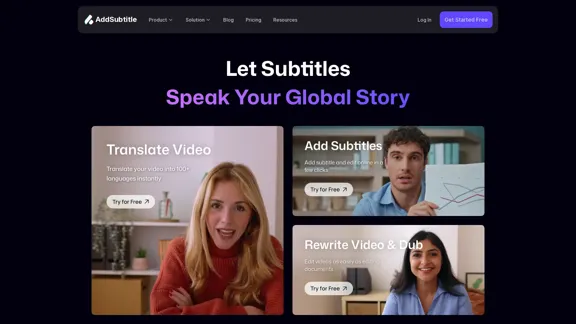
Addsubtitle - Translate, Subtitle, and Dub Videos Using AI
Addsubtitle - Translate, Subtitle, and Dub Videos Using AIEasily translate your videos, dub voices, and automatically add subtitles right in your browser. With support for over 100 languages and an impressive 99.9% accuracy, you can create amazing content more efficiently. Give it a try for free today!
1.93 K

Check Details
Infinity Looper - AI Tool for Creating Seamless Video Loops for VTubers and Content Creators
Infinity Looper - AI Tool for Creating Seamless Video Loops for VTubers and Content CreatorsEasily create seamless looping videos in just seconds! Ideal for VTuber backgrounds, lofi animated visuals, YouTube streams, Spotify Canvas, and Etsy digital downloads. No video editing skills? No problem!
0

Check Details
HeyFish.ai - AI User-Generated Content Video Ad Creator
HeyFish.ai - AI User-Generated Content Video Ad CreatorHeyFish.ai is your go-to AI video ad generator that crafts hyper-realistic digital human UGC videos featuring over 300 AI actors in more than 35 languages. With options like dual-person avatars and product-holding AI actors, you can create engaging ads effortlessly. Plus, enjoy 100 free Google Banana 3 Pro images each day. It's the perfect alternative to Arcads, Synthesia, HeyGen, MakeUGC, and Creatify, with plans starting at just $1.
0
Check Details
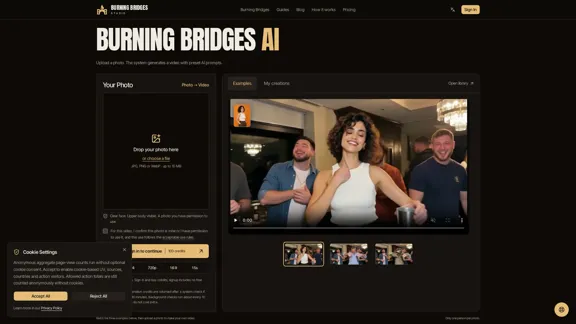
Create a fun AI-powered party video with Burning Bridges using just one photo and preset prompts. Preview an example, follow the simple steps, and download your finished video in MP4 format.
--

Check Details
KissGen AI - The Ultimate AI Kissing Video Creator
KissGen AI - The Ultimate AI Kissing Video CreatorKissGen AI is your go-to solution for creating personalized kissing videos, utilizing cutting-edge artificial intelligence technology to bring your unique moments to life.
24.63 K