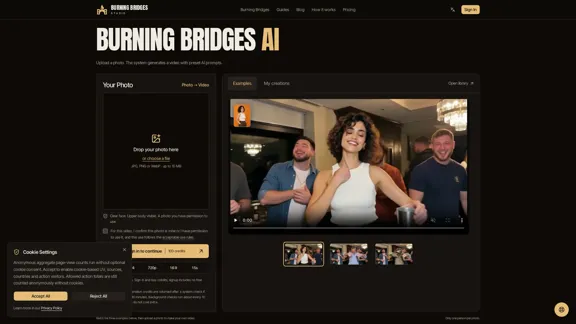
Burning Bridges Studio is an AI video generator that transforms a single uploaded photo into a short party-themed video. Using preset AI prompts, the platform automates scene creation without requiring users to write prompts, select camera movements, or configure complex video settings. Users can upload a clear portrait, generate a 15-second video, and download the finished MP4 with AI-generated party audio. Burning Bridges AI is designed for quick, personalized entertainment, social media content, group-chat surprises, and party invitations. It is an independent AI video tool and is not affiliated with any artist or music label.
Burning Bridges - AI Video Generator for Parties
Create a fun AI-powered party video with Burning Bridges using just one photo and preset prompts. Preview an example, follow the simple steps, and download your finished video in MP4 format.
Video
Nov 2, 2026
Visit Website
Burning Bridges AI Video Introduction
Burning Bridges AI Video Features
-
AI Photo-to-Video Generation
Burning Bridges AI converts an uploaded photograph into a party-themed video. The system uses preset AI prompts to generate the scene, making the process straightforward for users without video editing or prompt-writing experience.
-
Preset AI Prompts
Users do not need to describe scenes or manually write text prompts. The studio automatically applies its preset instructions to the uploaded photo, simplifying video generation.
-
Simple Photo Upload
The platform accepts JPG, PNG, and WebP images up to 10 MB. It recommends using a clear adult portrait with an unobstructed face, visible upper body, and even lighting. Only one person is allowed in each photo.
-
15-Second Video Output
Each generated video is 15 seconds long, with a 16:9 aspect ratio and 720p resolution. These specifications make the output suitable for sharing in messaging applications and on social platforms.
-
Generated Party Audio
New video downloads include automatically generated party audio. However, the audio is not a specific Drake song and does not include a music usage license. Users who want to use trending music on TikTok, Instagram Reels, or YouTube Shorts must add the appropriate official sound separately.
-
My Videos Management
Users can access their generation tasks through the My videos section. They can monitor progress, preview completed videos, and download the final MP4 using the same account.
-
Credit-Based Generation
Each new video requires 100 credits. Users must sign in and purchase a credit pack before generating content. Credits purchased do not expire, and the platform does not require a recurring subscription.
-
Privacy and Content Controls
Users must confirm that they own the uploaded photo or have permission to use it. Uploaded images are processed through the platform and sent to its AI provider, fal.ai. Users can delete completed, failed, or canceled tasks together with the studio-stored photo and video.
Burning Bridges AI Video Q&A
What is Burning Bridges AI?
Burning Bridges AI is an online photo-to-video generator developed by Burning Bridges Studio. It transforms an authorized photograph into a short party-themed video using preset AI prompts. Users can generate and download a personalized MP4 without writing their own prompts.
How do I create a Burning Bridges AI video?
Sign in to your account, purchase enough credits, and upload one clear photograph of an adult. Confirm that you have permission to use the image and click Generate. The platform automatically applies its preset prompts and saves the generation task to your account.
What image formats does Burning Bridges AI support?
The platform supports JPG, PNG, and WebP files with a maximum upload size of 10 MB. For better results, it recommends a clear face, visible upper body, natural expression, and even lighting. Group photos and heavily edited or blurry images should be avoided.
How long does video generation take?
Generation is estimated to take approximately 10 minutes, although processing queues and system load can increase waiting time. Users can leave the page after the task appears in their account and return to My videos to check its status. The platform advises against submitting another request while an existing task is processing.
Does Burning Bridges AI include music?
Yes. New downloads include generated party audio by default. However, this audio is not a particular Drake song, and the download does not include a music usage license. Users who want to add trending music should use the official audio available on their chosen social media platform.
Can I use Burning Bridges AI for free?
Creating an account does not provide free generation credits. Each video requires 100 credits, so users must purchase a credit pack before generating their first video.
What happens if video generation fails?
If a request is stopped by an input or safety check before credits are deducted, no generation credits are used. Confirmed failed tasks receive their deducted credits back once. Credit returns are separate from purchase refunds.
What happens to my uploaded photo?
Burning Bridges Studio stores uploaded photos for video processing and sends them to its AI provider, fal.ai. Users can delete their completed, failed, or canceled tasks, including the studio-stored photos and videos, through My videos. However, external providers may retain submitted inputs according to their own policies.
Can I use someone else's photo?
Yes, provided you have permission to use the photograph and the depicted person is an adult. The platform requires users to confirm that they own the photo or have authorization to use it, and that the intended use complies with its acceptable use rules.
Burning Bridges AI Video Price
Burning Bridges AI uses a credit-based payment model rather than a subscription.
-
Generation cost: 100 credits per video.
-
Signup bonus: No free credits are included.
-
Subscription: Not required.
-
Credit expiration: Purchased credits never expire.
-
Credit packs: Available through the official Pricing section.
-
Delayed generation: New video generation credits are returned after a system check if delivery takes more than 30 minutes.
-
Failed generation: Confirmed failed tasks receive their deducted generation credits back once.
The exact monetary prices of the available credit packs are not specified in the provided website content. Users should visit the official Burning Bridges Studio pricing page to check current costs.
* Prices are for reference only. Please refer to the official latest data for actual prices.
Burning Bridges AI Video Evaluation
-
Advantages of simplified video creation: Burning Bridges AI offers a straightforward photo-to-video workflow. Its preset prompts eliminate the need for prompt engineering, making the tool accessible to users who want quick results without learning complicated AI video generation techniques.
-
Clear output specifications: The platform specifies a 15-second duration, 720p resolution, and 16:9 aspect ratio. This transparency helps users understand what they will receive before spending credits.
-
Convenient account-based workflow: The My videos section allows users to track generation tasks, preview results, and download completed videos. The ability to leave the page during processing also makes the workflow more convenient.
-
Limitations in creative flexibility: The biggest drawback is the limited customization. Users cannot write their own prompts or freely control the scene, visual style, camera movements, and video duration through the described interface. The preset party theme also makes the tool less suitable for users seeking diverse video concepts.
-
Credit requirements may discourage experimentation: Each generation costs 100 credits, and new accounts do not receive free credits. Although purchased credits do not expire, users must pay before testing the actual output, which may make it harder to evaluate the service.
-
Output quality requires manual review: AI-generated facial details and movements can vary. The platform recommends checking faces, hands, movement, and audio before sharing. The fixed 720p resolution may also be insufficient for users who require higher-resolution video production.
-
Privacy considerations: The platform explains that uploaded photos are sent to fal.ai for processing and provides task deletion options. However, deletion from Burning Bridges Studio does not necessarily remove copies retained by external providers under their own policies.
Overall Evaluation: Burning Bridges AI is a focused AI party video generator that prioritizes convenience and speed over creative control. Its photo-to-video conversion, preset prompts, and simple download process make it useful for casual entertainment and social sharing. However, its single-theme approach, credit-based pricing, fixed output specifications, and limited customization restrict its appeal for professional creators or users seeking more versatile AI video production tools.
Related Websites

Check Details
With GlowVideo's free AI video generator, you can easily transform text and images into stunning videos. Use top AI models like Kling, Runway, and Sora to produce professional 4K videos quickly — no editing skills required.
0
Check Details
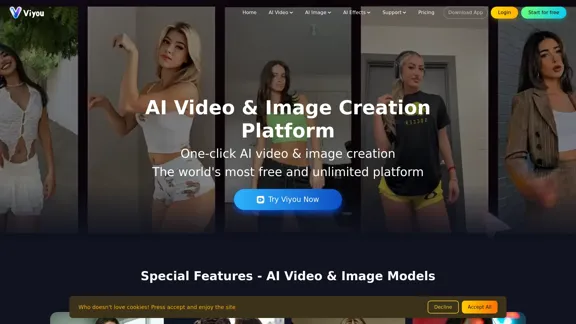
Viyou - The best free platform for creating AI videos.
Viyou - The best free platform for creating AI videos.Unleash your creativity with Viyou, the ultimate free AI video creation platform! You don't need to be a pro—transform your ideas into polished videos quickly and easily using our AI video tools.
50.53 K

Check Details
Selects by Cutback - AI Tool for Rough Edits for Creators and Studios
Selects by Cutback - AI Tool for Rough Edits for Creators and StudiosSelects simplifies the first 70% of your editing process—handling sorting, organizing, and reviewing—allowing you to jump into the creative phase more quickly. It integrates smoothly with Adobe Premiere Pro, Final Cut, and DaVinci Resolve.
72.84 K

Check Details
WAN 2.5 effortlessly transforms your text and images into high-quality videos using advanced AI technology. It is a perfect tool for content creators, marketers, and businesses aiming to enhance their visual storytelling.
0

Check Details
Seedance 2.5 - AI Video Generator: Create Free 4K Cinematic Videos
Seedance 2.5 - AI Video Generator: Create Free 4K Cinematic VideosTransform your ideas, photos, or clips into breathtaking 4K videos with Seedance 2.5. This AI video generator offers native audio and smooth 30fps motion, making it easy for anyone to create stunning videos without any prior skills. Plus, it's free to try!
--

Check Details
Create stunning videos and images for free with OmniVideo. Powered by Google's Gemini Omni Video model. Generate AI videos and images from text prompts in seconds.
--

Check Details
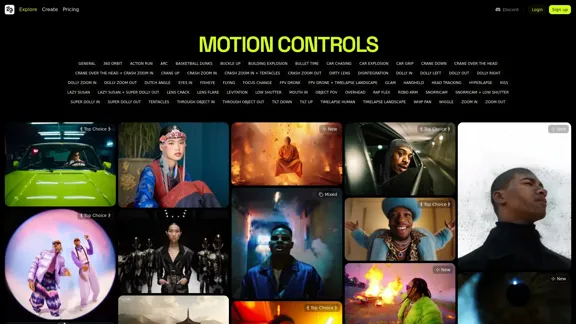
Wan 2.5 - Native Audio Similar to VEO3 + 1080p Video Creation
Wan 2.5 - Native Audio Similar to VEO3 + 1080p Video CreationWan 2.5 is here, bringing you native audio capabilities similar to VEO3! Create breathtaking 1080p videos in just 10 seconds, complete with synchronized sound. Give Image-to-Video a try today!
38.80 K