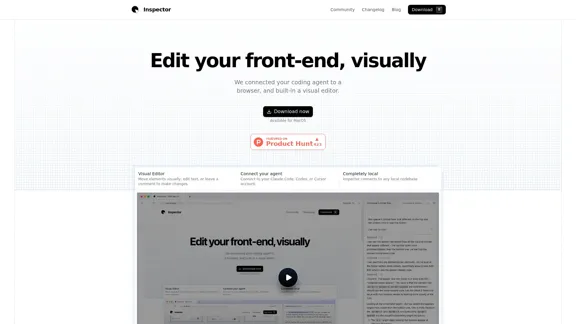
Inspector é uma ferramenta de edição visual projetada para desenvolvimento front-end, permitindo que os usuários editem sua base de código diretamente através de uma interface de navegador. Ela se conecta perfeitamente com agentes de codificação populares como Claude Code, Codex e Cursor, permitindo que desenvolvedores e designers façam alterações de forma visual e eficiente. A ferramenta está disponível para MacOS e enfatiza o armazenamento local de dados para privacidade.
Inspector - Edite seu front-end, visualmente
Inspector é o seu editor visual de front-end que se integra perfeitamente com seus agentes de codificação de IA, como Cursor, Claude Code e Codex. Com o Inspector, você pode facilmente editar texto, reposicionar elementos e aprimorar suas aplicações React, Next.js ou Vite—tudo isso enquanto trabalha diretamente em seu código local.
Visitar site
Inspector Introdução
Inspector Funcionalidades
-
Editor Visual
Inspector fornece uma camada visual para sua base de código, permitindo que os usuários movam elementos, editem texto e deixem comentários diretamente na página. Esse recurso simplifica o processo de edição e aumenta a produtividade.
-
Conecte Seu Agente
Os usuários podem conectar suas contas do Claude Code, Codex ou Cursor ao Inspector, integrando seus agentes de codificação preferidos para um fluxo de trabalho mais eficiente.
-
Conexão com a Base de Código Local
Inspector se conecta a qualquer base de código local, tornando-o versátil e adaptável para vários projetos.
-
Capturas de Tela Conscientes da Página
A ferramenta permite que os usuários tirem capturas de tela que se ajustam a qualquer elemento na página, fornecendo contexto para alterações e documentação.
-
Edição de Código Direta
Os usuários podem clicar duas vezes para editar texto na página, com as alterações salvas diretamente na base de código, garantindo uma transição suave de edições visuais para atualizações de código.
-
Integração com GitHub
Inspector se conecta ao GitHub, permitindo que os usuários criem branches, façam commits e publiquem pull requests diretamente da plataforma.
Inspector Como usar?
- Baixe o Inspector e selecione sua base de código ou comece a partir de um template para começar a editar.
- Conecte-se ao seu agente de codificação preferido (Claude, Codex ou Cursor) para funcionalidade aprimorada.
- Use o editor visual para mover elementos e aplicar alterações diretamente à sua base de código.
- Aproveite as capturas de tela conscientes da página para melhor contexto ao documentar alterações.
- Certifique-se de fazer commit de suas alterações e publicar pull requests através do recurso integrado do GitHub.
Inspector Perguntas frequentes
É necessário algum tipo de configuração?
Nenhuma configuração é necessária. Basta baixar o Inspector, selecionar sua base de código ou começar a partir de um template para começar.
Isso é um navegador ou um IDE?
Inspector funciona como um IDE baseado em navegador, permitindo que os usuários selecionem visualmente elementos, movam-nos e apliquem alterações diretamente ao código.
Como eu começo?
Baixe o Inspector, conecte-se ao seu agente de codificação e abra um projeto localmente para começar a editar.
O Windows é suportado?
Atualmente, o Windows não é suportado, mas os usuários podem entrar em uma lista de espera para futuras atualizações.
Como eu publico minhas alterações?
Inspector se integra ao GitHub, permitindo que os usuários criem branches, façam commits e publiquem pull requests diretamente da ferramenta.
Designers podem usar o Inspector?
Sim, muitos designers utilizam o Inspector para enviar alterações para bases de código de produção de forma eficaz.
Isso funciona com qualquer framework front-end?
Inspector funciona melhor com aplicativos React, vinculando elementos visuais diretamente ao código React, mas também pode ser usado com outros frameworks front-end.
Inspector Preço
Os dados de preço ainda não estão disponíveis, por favor, acesse o site oficial para verificar.
* Os preços são apenas para referência, consulte os dados oficiais mais recentes para obter os valores reais.
Inspector Avaliação
- Inspector oferece uma interface amigável que simplifica o desenvolvimento front-end, tornando-o acessível tanto para desenvolvedores quanto para designers.
- A integração com agentes de codificação populares aprimora sua funcionalidade, permitindo um fluxo de trabalho mais eficiente.
- No entanto, a atual falta de suporte ao Windows pode limitar sua base de usuários, já que muitos desenvolvedores trabalham nessa plataforma.
- Embora a ferramenta se destaque na edição visual, os usuários podem precisar se familiarizar com a estrutura de código subjacente para maximizar seu potencial.
- No geral, o Inspector é uma ferramenta promissora para edição visual front-end, mas expandir sua compatibilidade e recursos poderia aumentar ainda mais seu apelo.
Inspector Informações de tráfego mais recentes
Visitas mensais
7.50 K
Taxa de rejeição
59.94%
Páginas por visita
1.33
Tempo no site(s)
70.86
Classificação global
3128296
Classificação no país

Visitas mensais recentes
Fontes de tráfego
- Mídia social9.2%
- Referências pagas1.2%
- E-mail0.1%
- Referências20.5%
- Mecanismo de busca6.9%
- Acesso direto62.0%
Mais dados - Inspector
Sites relacionados
Ver detalhes
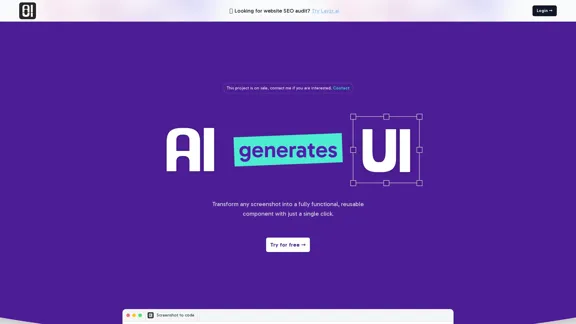
Transforme suas capturas de tela em código totalmente funcional em apenas segundos. É uma maneira rápida e fácil de dar vida às suas ideias visuais sem complicações.
2.48 K

Ver detalhes
Carregue seu código facilmente e deixe o VibeScan fazer o trabalho pesado. Descubra todos os problemas escondidos em sua base de código e resolva-os sem esforço com apenas um clique.
0
Ver detalhes
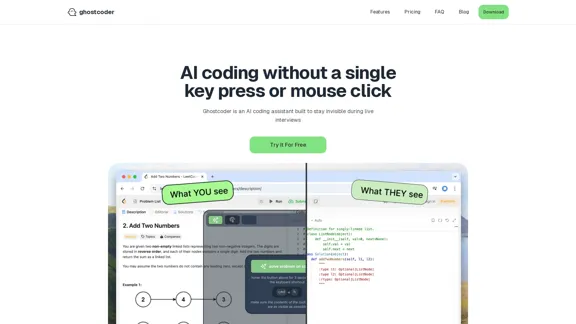
ghostcoder - um assistente de codificação AI discreto
ghostcoder - um assistente de codificação AI discretoGhostcoder é seu companheiro de codificação discreto, projetado para ajudá-lo a se destacar em entrevistas técnicas e aumentar sua velocidade de codificação. Com sua natureza furtiva, você pode contar com ele sem chamar a atenção.
2.09 K
Ver detalhes
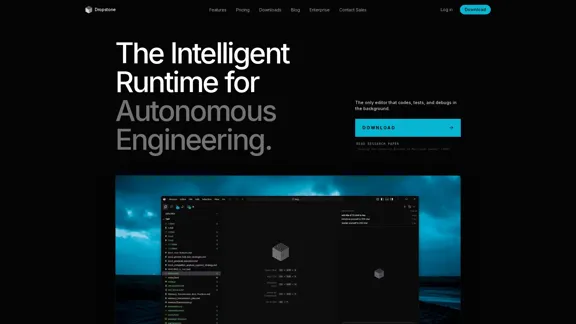
Dropstone - Tempo de Execução de Engenharia de Software Autônoma
Dropstone - Tempo de Execução de Engenharia de Software AutônomaDropstone é um inovador software de engenharia autônoma que utiliza a arquitetura de ponta Horizon Mode. Ele possui o D3 Engine (Dynamic Density Drive) para virtualização de contexto ilimitada, uma arquitetura de enxame recursiva que permite raciocínio agente e refatoração autônoma em segundo plano. Diga adeus aos IDEs tradicionais e abrace o poder da inteligência autocorrigível.
4.07 K
Ver detalhes
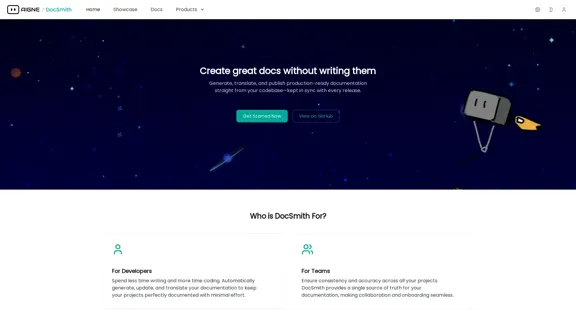
AIGNE DocSmith - Documentação de Código Potencializada por IA
AIGNE DocSmith - Documentação de Código Potencializada por IACom AIGNE DocSmith, você pode gerar documentação abrangente em vários idiomas diretamente do seu código. Nossa ferramenta impulsionada por IA compreende seu código, produzindo documentação precisa e atual que economiza tempo e esforço.
1.15 K
Ver detalhes
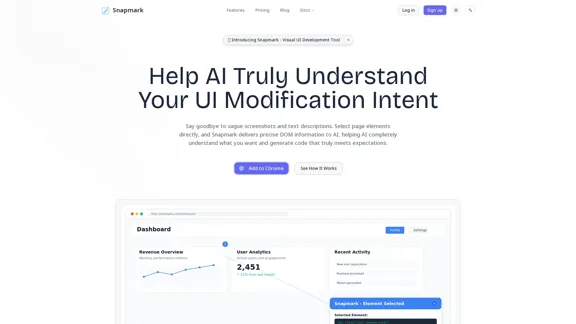
Snapmark - Ajude a IA a entender com precisão a intenção de modificação da interface do usuário.
Snapmark - Ajude a IA a entender com precisão a intenção de modificação da interface do usuário.Snapmark facilita para a IA entender exatamente o que você deseja modificar em sua interface de usuário. Ao usar seleção visual e informações detalhadas do DOM, ele gera código que se alinha perfeitamente com suas expectativas.
0

Ver detalhes
Assuma o controle dos testes do seu chatbot com a experiência de nossos profissionais especializados ao seu alcance.
--
Ver detalhes
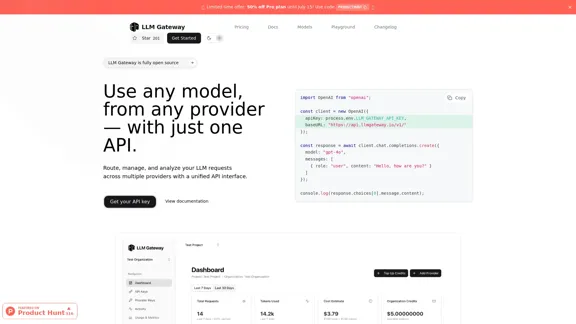
Gerenciador de Rotas - Simplifique suas solicitações de LLM sem esforço
Gerenciador de Rotas - Simplifique suas solicitações de LLM sem esforçoRoteie, gerencie e analise facilmente suas solicitações de LLM de vários provedores usando uma única interface de API unificada. O objetivo é simplificar seu fluxo de trabalho enquanto mantém tudo organizado e eficiente.
33.73 K
Artigos relacionados
Produtos de IA
Product Hunt Seleção de Ferramentas de IA em Fevereiro de 2026
Aqui está uma seleção dos 20 produtos de IA mais populares na plataforma Product Hunt em fevereiro de 2026, que estão recebendo muita atenção.
3/1/2026
Read MoreProdutos de IA
Product Hunt Seleção de Ferramentas de IA em Alta - Semana 6 de 2026
Aqui está uma seleção dos 20 produtos de IA mais populares na plataforma Product Hunt na 6ª semana de 2026, que receberam muita atenção.
2/9/2026
Read More