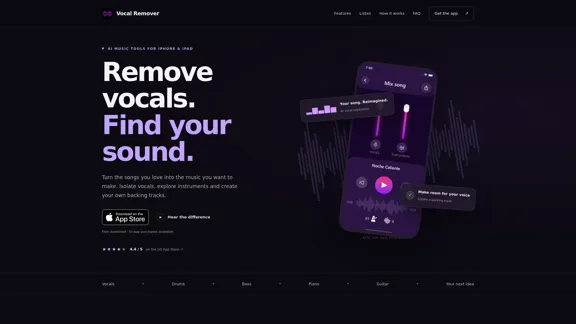
Vocal Remover is an AI-powered music separation app for iPhone and iPad, developed by Vividup FZE. It helps users remove vocals from songs, isolate individual instruments, and create customized backing tracks for singing, practice, and music production. The app supports vocal, drum, bass, piano, guitar, and other sound separation, along with pitch and tempo adjustments, synchronized lyrics, and audio import and export. The website provides an interactive audio demo and explains the app's main features, but music processing takes place in the app rather than directly in the browser. It is free to download, with in-app purchases available.
Vocal Remover — Eliminate vocals and isolate music on iPhone
Remove vocals, isolate instruments, and create backing tracks with Vocal Remover for iPhone and iPad. Mix stems, change pitch and tempo, and follow lyrics.
Oct 28, 2026
Visit Website
Vocal Remover Introduction
Vocal Remover Features
-
AI Vocal Removal and Music Separation
Vocal Remover uses AI to separate vocals and instrumental elements from a mixed audio track. Users can reduce or remove the vocal stem to create an instrumental backing track or isolate vocals for closer listening. The final quality depends on the original recording and arrangement.
-
Individual Instrument Isolation
The app supports separation into vocals, drums, bass, piano, guitar, and other sounds. This allows singers and musicians to focus on specific parts of a song, study arrangements, and explore instrumental details that may be difficult to hear in the original mix.
-
Custom Mixing and Audio Balance
Users can adjust the balance between separated audio stems to create a mix that suits their needs. The feature is useful for preparing backing tracks, emphasizing particular instruments, and experimenting with different combinations of vocals and accompaniment.
-
Pitch and Tempo Adjustment
Vocal Remover allows users to change pitch and playback speed. Singers can explore a key that better fits their vocal range, while musicians can slow down challenging passages to practice difficult sections at a manageable pace.
-
Automatically Synchronized Lyrics
The app can display automatically detected lyrics in sync with song playback. This feature supports lyric learning, phrasing practice, and timing, making it useful for singers who want to prepare covers or improve their familiarity with a song.
-
Audio Import and Export
Users can import supported audio files, process them in the app, and export the resulting mix or individual stems. The website lists MP3, WAV, FLAC, and M4A among the supported formats. This workflow helps users organize audio material and move prepared tracks into their music projects.
-
Interactive Audio Demo
The official website includes a sample player that lets visitors compare the original track with separated vocals, drums, bass, piano, and other sounds. The demo provides a convenient way to understand the app's AI audio separation capabilities before downloading it.
-
Music Practice and Creative Applications
Vocal Remover is designed for several types of users, including singers preparing covers, instrumentalists studying individual parts, and creators exploring audio stems. Its combination of separation, mixing, pitch adjustment, and tempo control supports practice and music experimentation on mobile devices.
Vocal Remover How to Use?
-
Download Vocal Remover from the official App Store listing for your iPhone or iPad.
-
Open the app and import a supported audio file from your device or one of the available import sources.
-
Choose an AI separation option and allow the app to separate the vocals and instrumental components.
-
Listen to the individual stems to identify the parts you want to keep, such as vocals, drums, bass, piano, or guitar.
-
Adjust the vocal level and other available stem balances to create an instrumental backing track or a customized mix.
-
Use pitch and tempo controls to find a suitable key for singing or slow down difficult musical passages for practice.
-
Follow the synchronized lyrics feature when available to study phrasing and improve your timing.
-
Export the completed mix or selected stems in a supported format. Listen to the exported audio before using it in a performance or production, as AI separation can leave audible artifacts.
Vocal Remover Q&A
What is Vocal Remover?
Vocal Remover is an AI-powered audio separation app for iPhone and iPad. It helps users remove vocals, isolate instruments, create backing tracks, adjust pitch and tempo, and export processed audio for music practice and creative projects.
Can Vocal Remover remove vocals from a song?
Yes. Import a supported audio file, separate the track, and reduce the vocal stem to create an instrumental version or a custom mix. The quality of the result depends on the source recording, arrangement, and degree of overlap between sounds.
Which instruments can Vocal Remover separate?
The app supports vocals, drums, bass, piano, guitar, and other sounds. The available separation options and controls are displayed in the app.
Is Vocal Remover free to use?
The app is free to download, but it offers in-app purchases. The available features, usage limits, and subscription offers may vary. Check the official App Store listing and the in-app purchase screen for current pricing.
Can I use Vocal Remover in a web browser?
No. According to the website, audio separation takes place within the app. The website explains the features and provides a sample demonstration, but it does not process music files uploaded through the browser.
Can Vocal Remover produce studio-quality instrument stems?
Not necessarily. AI separation estimates individual components from a finished audio mix rather than recovering the original studio recordings. Reverb, compression, overlapping instruments, and other recording characteristics can produce artifacts. Users should listen carefully to the results before using them in professional productions or live performances.
Can I use Vocal Remover for singing practice?
Yes. The app is designed to help singers create backing tracks, adjust pitch to find a comfortable key, slow down difficult passages, and follow synchronized lyrics. These tools can support cover preparation and regular vocal practice.
Which audio formats does Vocal Remover support?
The website lists MP3, WAV, FLAC, and M4A. Actual import and export options depend on the supported formats and controls available in the app.
Vocal Remover Price
Vocal Remover is free to download, with in-app purchases available. The website does not specify exact prices, subscription tiers, or usage limits. Users should consult the official App Store listing and the in-app purchase screen for current pricing and available plans in their region.
* Prices are for reference only. Please refer to the official latest data for actual prices.
Vocal Remover Evaluation
-
Practical AI audio separation: Vocal Remover combines vocal removal with individual instrument separation, making it useful for creating backing tracks and examining the components of a song. Supporting vocals, drums, bass, piano, and guitar provides more flexibility than a tool focused exclusively on removing vocals.
-
Useful practice features: Pitch and tempo adjustments, synchronized lyrics, and custom mixing make the app relevant to singers and instrumentalists, not just users who want an instrumental version of a song. The mobile-focused workflow is particularly suitable for practice sessions on an iPhone or iPad.
-
Convenient introduction through the website: The interactive audio demo helps visitors understand how vocal and instrument separation works before installing the app. However, users must download the app to process their own audio, so the website itself is not a browser-based vocal remover.
-
Limitations in separation quality: AI processing cannot guarantee perfectly clean stems. Sound leakage, residual vocals, and artifacts may remain, especially in dense arrangements or heavily processed recordings. Users seeking professional-grade isolated tracks may need additional audio editing.
-
Pricing transparency could improve: The website confirms that in-app purchases are available but does not provide detailed prices, plan comparisons, or usage limits. Publishing clearer pricing information would help potential users evaluate the cost before installing the app.
-
Overall assessment: Vocal Remover is a practical AI music separation tool for mobile users who want to remove vocals, isolate instruments, prepare backing tracks, or practice songs at a different pitch or tempo. Its combination of audio separation and practice-oriented controls is a clear advantage. Its main considerations are the variable quality of AI-generated stems, the requirement to use the app for processing, and the lack of detailed pricing information on the website.
Related Websites
Check Details
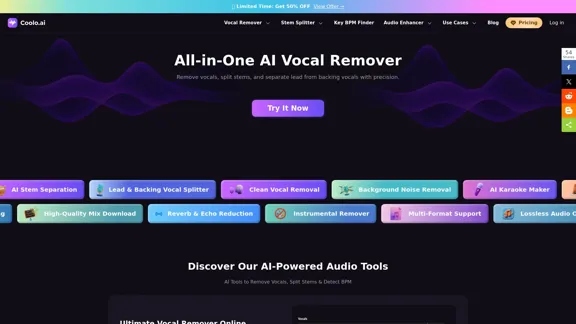
Discover the innovative audio tools at Coolo AI, where you can easily remove vocals, split stems, and detect BPM & key. Whether you're looking to create karaoke tracks or isolate instruments, our platform offers a user-friendly experience to do it all online for free.
--
Check Details
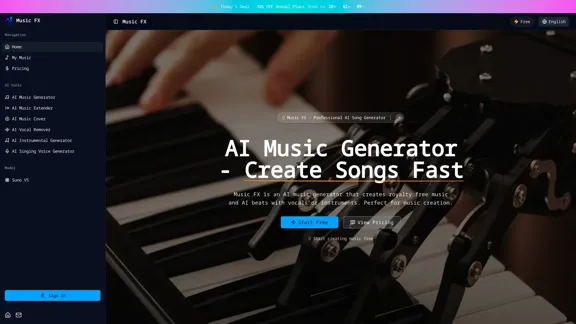
Music FX is your go-to AI music generator, allowing you to create royalty-free music, AI beats, and songs from text in just seconds. Give our free AI song generator a try today!
--
Check Details
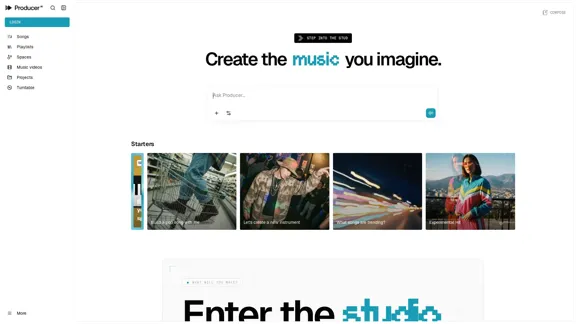
Bring your musical ideas to life with ease. Producer AI by Google Labs is a generative AI tool designed for creating, remixing, and sharing high-quality songs straight from your imagination. Effortlessly swap stems, extend tracks, and customize your sound to make it uniquely yours.
2.64 M
Check Details
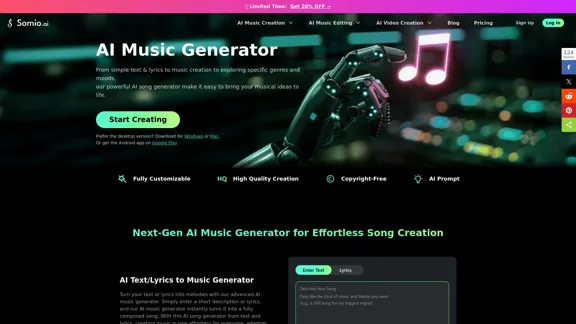
Online AI Music Generator - Make Music with AI at No Cost
Online AI Music Generator - Make Music with AI at No CostUnleash your creativity with our AI music generator, where you can effortlessly craft songs and instrumentals. Transform your text or lyrics into a complete track in just a few simple steps and seconds.
--
Check Details
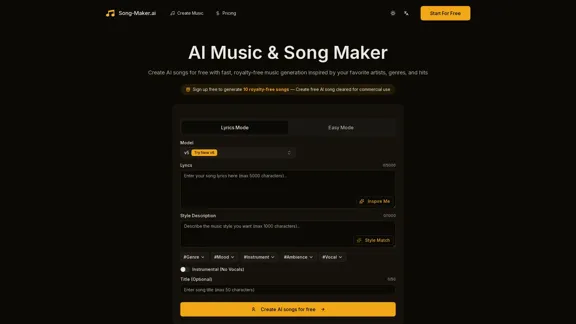
Song Maker AI - A Royalty-Free Music Generator Inspired by Any Artist
Song Maker AI - A Royalty-Free Music Generator Inspired by Any ArtistWith our free AI Song Generator, you can easily turn text into songs quickly. Capture the style of any artist you admire and create 8-minute royalty-free tracks that are ideal for commercial use.
0
Check Details
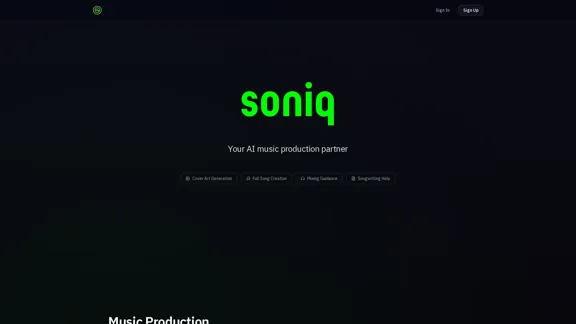
Soniq - AI Complete Song Creation and Music Production
Soniq - AI Complete Song Creation and Music ProductionSoniq is your go-to AI-powered platform for creating complete songs. In just 30 seconds, you can generate full tracks with vocals and lyrics, design eye-catching cover art, and receive expert mixing guidance. Think of us as your friendly AI music production partner, ready to help you bring your musical ideas to life.
0
Check Details
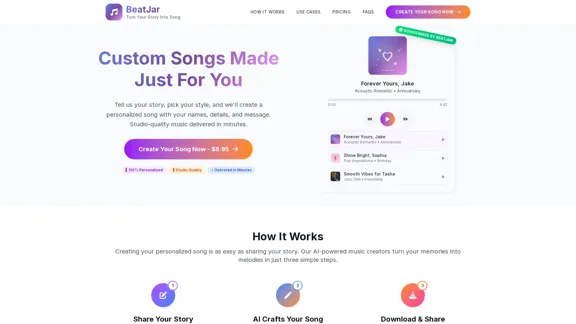
Transform your cherished life moments into unique, custom-made songs. Our professional music creation service offers quick delivery, making it the ideal personalized gift for any occasion.
19.13 K
Check Details
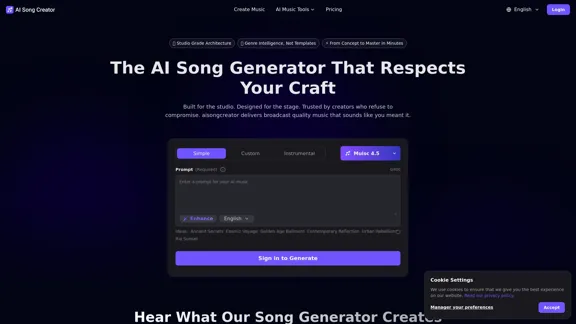
AI Song Creator - An Online AI Song Generator That Honors Your Artistry
AI Song Creator - An Online AI Song Generator That Honors Your ArtistryCrafted for the studio and tailored for the stage, AI Song Creator is the go-to tool for creators who value their artistry. With aisongcreator.pro, you can produce broadcast-quality music that truly reflects your vision.
2.23 K