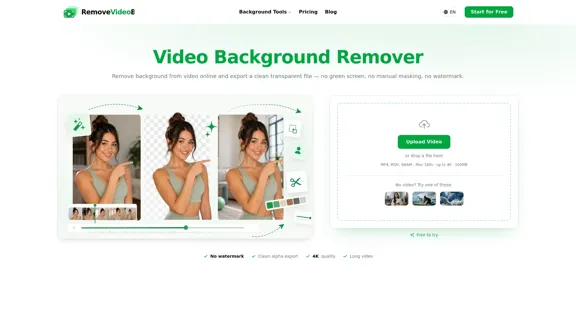
RemoveVideoBG is an online video background remover that allows users to eliminate backgrounds from videos without the need for green screens, manual masking, or watermarks. It supports high-resolution videos up to 4K and exports clean transparent files suitable for professional editing. The tool is designed for creators, vloggers, e-commerce sellers, educators, and streamers who want fast, accurate background removal with preserved fine details like hair and motion.
Video Background Remover - Free Online, No Watermark
Easily remove backgrounds from your videos in just seconds with our online Video Background Remover. You can export your videos as a transparent WebM with full alpha or choose ProRes/MP4 to add a new background.
Video
Aug 21, 2026
Visit Website
RemoveVideoBG Introduction
RemoveVideoBG Features
-
True Transparent Export
Exports videos with a real alpha channel in WebM or PNG sequence formats, enabling seamless compositing in editors like Premiere, After Effects, and Final Cut without re-keying.
-
AI-Powered Background Removal
Automatically detects and removes backgrounds frame by frame, preserving hair strands, soft edges, and fast motion without requiring chroma key setups or manual rotoscoping.
-
Background Replacement Options
Users can keep the background transparent, fill it with a solid color, blur it, or replace it with a custom image to restyle clips quickly.
-
Supports Long and High-Resolution Videos
Handles videos up to 180 seconds, 4K resolution, and 100MB file size without watermark, suitable for tutorials, webinars, and social media content.
-
Fast and Fully Online Processing
No software installation or sign-up required to start; uploads and processing happen in the browser with results ready in seconds to minutes.
-
Wide Format Compatibility
Accepts MP4, MOV, and WebM uploads and exports in multiple formats including transparent WebM, ProRes MOV, PNG sequences, and MP4 with new backgrounds.
-
Privacy and Security
All uploads are encrypted, processed securely, and removed automatically after use, ensuring user privacy.
RemoveVideoBG How to Use?
- Upload your video directly in the browser by dragging and dropping or selecting a file (MP4, MOV, WebM).
- Preview the transparent background removal result before downloading.
- Choose your export format based on your workflow needs: transparent WebM for web or editors, ProRes MOV for professional editing, or PNG sequences for motion design.
- Replace or customize the background by uploading an image or selecting a solid color.
- Use the tool for various content types including social media overlays, product showcases, tutorials, and streaming facecam layers.
- For OBS streaming, export transparent WebM files to use as overlays without a green screen.
RemoveVideoBG Q&A
Do I need a green screen to remove a video background?
No, the AI detects subjects automatically without any green screen or manual masking.
What video formats can I upload and export?
Uploads support MP4, MOV, and WebM. Exports include transparent WebM, PNG sequences, ProRes MOV, and MP4 with new backgrounds.
Will the exported video have a watermark or lose quality?
No watermark is added. The output maintains original sharpness and frame rate up to 4K resolution.
How do I get a transparent background video?
Upload your clip, let the AI remove the background, and export a transparent WebM or PNG sequence with a real alpha channel.
Can I change or replace the video background?
Yes, you can keep it transparent, add a solid color, blur the background, or replace it with a custom image.
How long can my video be?
Supports both short clips and long-form videos up to 180 seconds, with pricing based on processed seconds.
Is my video private and secure?
Yes, all uploads are encrypted and processed securely. Files are never shared and are deleted after processing.
How accurate is the AI on hair and edges?
The AI segments subjects frame by frame, preserving fine details like hair, fingers, and fast motion with smooth, flicker-free edges.
Can I use it for live streaming background removal?
Yes, export transparent WebM files for use as media sources or overlays in OBS and other streaming software without a green screen.
Which editors support the exported videos?
Compatible with CapCut, Canva, Premiere Pro, Final Cut, After Effects, OBS, and any editor supporting alpha video or PNG sequences.
RemoveVideoBG Price
Price information is not provided on the website. Users are encouraged to visit the official site for the latest pricing details.
* Prices are for reference only. Please refer to the official latest data for actual prices.
RemoveVideoBG Evaluation
-
Strengths:
RemoveVideoBG excels in delivering high-quality, transparent video exports with real alpha channels, a feature often missing in free tools. Its AI-driven background removal is highly accurate, preserving fine details such as hair and motion, which is crucial for professional-looking results. The support for long videos up to 4K resolution without watermarks makes it suitable for diverse use cases including tutorials, e-commerce, and streaming. The fully online, no-installation workflow enhances accessibility and ease of use.
-
Areas for Improvement:
The maximum video length limit of 180 seconds may restrict users working with longer content. Pricing details are not readily available, which could hinder user decision-making. Additionally, while the tool supports background replacement, more advanced editing features or integrations with popular video editors could enhance user experience. Providing clearer guidance or tutorials for beginners might also improve usability.
Overall, RemoveVideoBG offers a robust and user-friendly solution for video background removal, balancing professional output quality with accessibility for creators across various fields.
Related Websites
Check Details
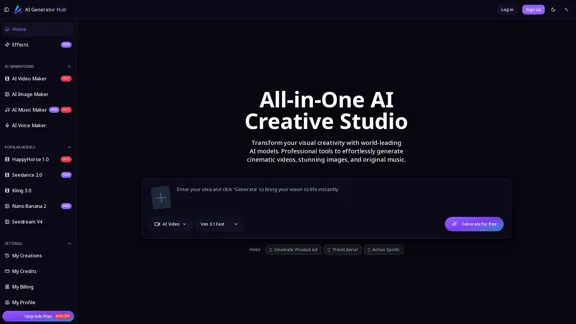
AI Generator Hub - Video, Image, and Music Production
AI Generator Hub - Video, Image, and Music ProductionWith AI Generator Hub, you can effortlessly create stunning videos, images, and music. Unleash your creativity and produce professional-quality content with ease.
--

Check Details
AI Birthday Video Maker - Create Meaningful Birthday Videos
AI Birthday Video Maker - Create Meaningful Birthday VideosCraft personalized birthday videos that last between 5 to 12 seconds using just your text prompts or photos. No editing experience is required! You can create memorable birthday greetings in just a few minutes.
0
Check Details
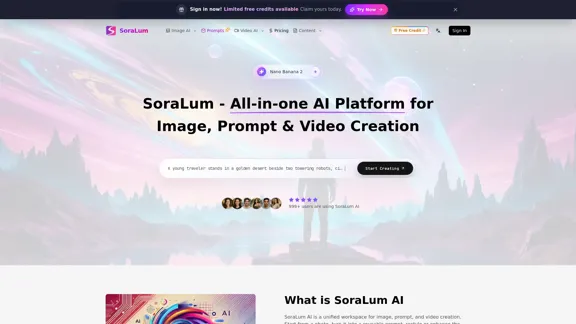
SoraLum AI - The best all-in-one AI video and image generator and editor.
SoraLum AI - The best all-in-one AI video and image generator and editor.Welcome to SoraLum AI, where you can easily create images, prompts, and videos all in one convenient workspace. Our powerful tools enable you to generate, edit, restyle, and animate your content faster than ever, using advanced image-to-image and text-to-video capabilities online.
--
Check Details
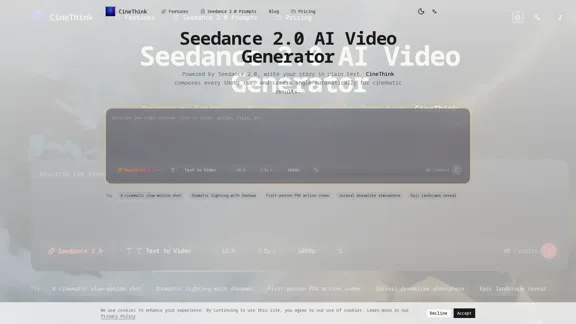
CineThink - AI Video Generator for Creative Filmmaking
CineThink - AI Video Generator for Creative FilmmakingWith Seedance 2.0, you can effortlessly create director-style multi-shot videos. Transform your text, images, audio, and references into stunning 2K videos with synchronized sound in just minutes.
0
Check Details
Sora AI Video Generator allows you to effortlessly create stunning AI videos from your text or photos. With professional capabilities for text-to-video, image-to-video, and OpenAI ChatGPT image generation, you can bring your ideas to life online.
--
Check Details
Seedance 3.0 - AI Video Generator for Artistic Creation
Seedance 3.0 - AI Video Generator for Artistic CreationInstantly generate stunning AI videos from your text prompts. Designed for creators and artists, Seedance 3.0 allows you to transform your ideas into captivating art in just seconds.
4.30 K
Check Details
Gaga - The AI Avatar Generator That Understands You
Gaga - The AI Avatar Generator That Understands YouWith Gaga, you can easily create realistic avatars and lifelike videos. Transform your photos into dynamic, expressive animations with just a few clicks. Simply type your script, and let Gaga generate AI avatars that truly resonate.
81.39 K
Check Details
Turn your ideas into captivating viral videos with VEO4 AI. Effortlessly generate eye-catching 6-second clips from text or images, all thanks to our cutting-edge AI technology. It's the ideal solution for enhancing your social media presence and marketing efforts.
0