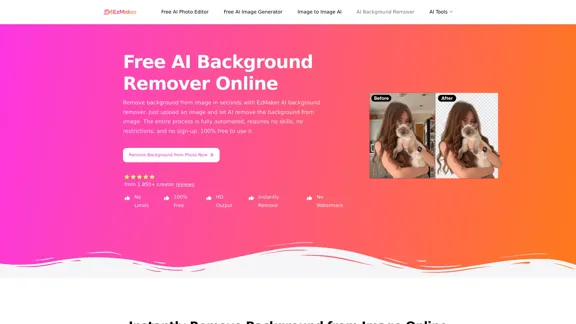
EzMaker AI offers a free and efficient solution for removing backgrounds from images. Users can upload their photos, and the AI technology will automatically eliminate the background, providing a clean and transparent result in seconds. This tool is designed for ease of use, requiring no prior skills or sign-up, making it accessible for everyone.
EzMaker AI Background Remover - AI Background Remover for Effortless Image Editing
Easily remove backgrounds from your images with EzMaker AI's background remover in just seconds. Enjoy clean, HD transparent PNGs without the hassle of signing up or dealing with watermarks.
Image
Nov 4, 2026
Visit Website
EzMaker AI Background Remover Introduction
EzMaker AI Background Remover Features
-
Instant Background Removal
Upload an image and let the AI automatically remove the background in seconds, providing a clean cutout ready for further editing.
-
High-Quality Output
The tool ensures that the final images maintain high definition and clarity, suitable for various applications such as product listings and social media posts.
-
Support for Multiple Formats
Users can upload images in various formats, including JPG, PNG, and WEBP, ensuring flexibility in usage.
-
Batch Processing
EzMaker AI allows users to remove backgrounds from multiple images simultaneously, saving time and effort.
-
Custom Background Options
After removing the background, users can easily change it to a solid color or upload a new background image, enhancing creative possibilities.
-
User-Friendly Interface
The platform is designed for simplicity, allowing users to achieve professional results without complex editing tools.
EzMaker AI Background Remover How to Use?
- Upload a clear image where the main subject is unobstructed for best results.
- Wait a few seconds for the AI to process and remove the background automatically.
- Download the resulting image as a transparent PNG or continue editing with other EzMaker tools.
EzMaker AI Background Remover Q&A
What is an AI background remover?
An AI background remover is a tool that identifies the main subject in an image and separates it from the surrounding background, allowing for a clean cutout.
What image types can I remove backgrounds from?
You can remove backgrounds from portraits, pets, products, logos, and illustrations, as long as the main subject is clearly visible.
Can I change the background after removing it?
Yes, users can replace the original background with a solid color or upload a new background image.
Can I continue editing after removing the background?
Absolutely. Users can further edit the image using other EzMaker tools after background removal.
What file formats can I upload?
Supported formats include JPG, PNG, and WEBP.
EzMaker AI Background Remover Price
Price data is not available yet, please visit the official website for more information.
* Prices are for reference only. Please refer to the official latest data for actual prices.
EzMaker AI Background Remover Evaluation
-
EzMaker AI Background Remover excels in providing a fast and user-friendly experience, making it ideal for users needing quick background removal without extensive editing skills.
-
The batch processing feature is a significant advantage for users working with multiple images, enhancing productivity.
-
However, while the tool performs well with clear subjects, it may struggle with complex backgrounds or intricate details, requiring manual adjustments in some cases.
-
Overall, EzMaker AI Background Remover is a valuable tool for casual users and professionals alike, though users should be aware of its limitations with more complicated images.
Related Websites

Check Details
Toy Image AI - Turn Your Photos into Action Figures
Toy Image AI - Turn Your Photos into Action FiguresToy Image AI lets you transform your selfies into amazing action figure toys with the help of cutting-edge AI technology. Dive into the latest viral trend and enjoy some free credits to get started!
1.15 K
Check Details
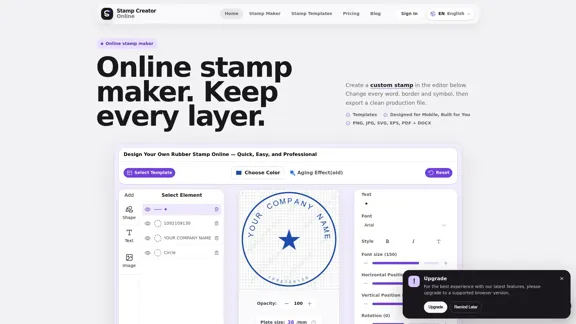
Online Stamp Maker & Custom Stamp Creator - Effortlessly create your own unique stamps.
Online Stamp Maker & Custom Stamp Creator - Effortlessly create your own unique stamps.Design your custom stamp online with ease! Choose from 225 real templates and personalize them with editable text, logos, borders, and ink effects. Once you're satisfied with your creation, you can export high-quality PNG or SVG files directly online.
--
Check Details
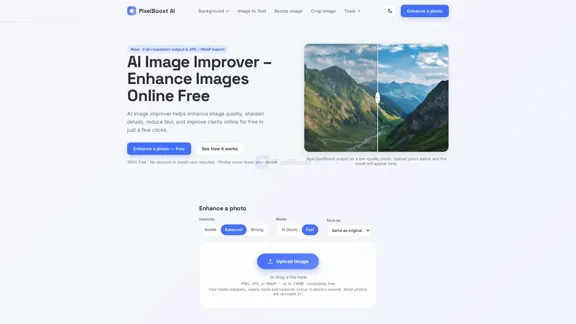
Increase image resolution online for free - AI Pixel Boost
Increase image resolution online for free - AI Pixel BoostIncrease picture resolution online for free with our AI image enhancer. Upscale low-quality images, enhance clarity, and sharpen details.
--

Check Details
Nano Banana AI - Advanced AI Image Editor with Text Prompts
Nano Banana AI - Advanced AI Image Editor with Text PromptsNano Banana AI is a cutting-edge image editing tool that lets you transform your photos simply by using natural language prompts. It excels in maintaining character consistency, preserving scenes, and providing impressive one-shot editing capabilities.
1.83 K

Check Details
Free Flux Kontext Image Generator - Try Flux.1 Kontext Image Editor
Free Flux Kontext Image Generator - Try Flux.1 Kontext Image EditorWith Flux.1 Kontext AI, you can effortlessly turn your ideas into beautiful images. Experience the ease of natural language editing, enjoy rapid results, and maintain consistent styles that every creator will appreciate.
0

Check Details
Nano Banana 2 - AI Image Generator Powered by Gemini 3.1 Flash Image
Nano Banana 2 - AI Image Generator Powered by Gemini 3.1 Flash ImageNano Banana 2 is your go-to AI image generator and photo editor, powered by the cutting-edge Gemini 3.1 Flash Image technology. With it, you can create stunning visuals in just seconds, all while enjoying professional-level quality at lightning-fast speeds. Give Nano Banana 2 a try today!
--

Check Details
AI Baby Generator - Generate your future baby's face in seconds.
AI Baby Generator - Generate your future baby's face in seconds.With our AI Baby Generator, you can quickly visualize what your future child might look like! Simply upload photos of you and your partner, and watch as our advanced AI technology combines your features to generate realistic baby images in an instant. It's a fun and user-friendly tool, perfect for couples, families, or anyone who's curious about their future offspring!
3.54 K

Check Details
Transform your selfies into stunning studio-quality avatars, AI portraits, memes, and short videos. Our AI photo shoot generator is designed specifically for creators on Instagram, TikTok, and YouTube.
0