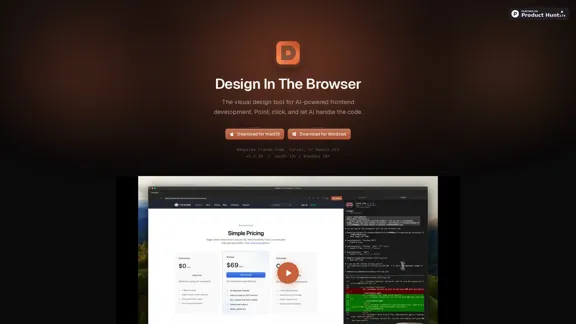
Design In The Browser 是一款由 AI 驅動的視覺前端開發工具,簡化了設計過程。用戶可以輕鬆地點擊創建設計,而 AI 負責底層代碼。這款工具兼容 macOS 和 Windows,使其對廣泛的開發者可用。
Design In The Browser - 以人工智慧驅動的視覺前端開發工具
使用 Design In The Browser,您可以輕鬆地在瀏覽器中指向並點擊任何元素,讓我們的 AI 工具如 Claude、Cursor 或 Gemini CLI 為您處理編碼。這個創新的平台無縫地將視覺設計與 AI 驅動的前端開發相連接。
訪問網站
Design In The Browser 介紹
Design In The Browser 功能
-
點擊編輯
用戶可以點擊瀏覽器中的任何元素,這會立即將其發送到 Claude、Cursor 或 Gemini CLI 進行進一步處理。此功能簡化了設計工作流程。
-
代碼編輯器集成
該工具允許用戶直接從任何 UI 元素跳轉到其在首選代碼編輯器中的源代碼,提升了生產力和效率。
-
多重編輯功能
用戶可以選擇多個元素並將其添加到待辦事項列表中進行批量編輯,節省設計過程中的時間和精力。
-
集成終端
集成終端允許用戶在瀏覽器和終端之間並排工作,並支持開發伺服器,提供無縫體驗。
-
響應式測試
內置的視口切換器使用戶能夠自定義響應式設計測試的斷點,確保設計在所有設備上看起來都很出色。
-
參考圖像
用戶可以將參考圖像添加到提示中,實現像素完美的結果,並提高設計的準確性。
Design In The Browser 如何使用?
- 在開始之前,確保已安裝所需的軟件(Claude Code、Cursor 或 Gemini CLI)。
- 熟悉點擊界面以最大化效率。
- 利用多重編輯功能簡化多個元素的編輯過程。
- 利用集成終端快速訪問開發工具。
- 使用響應式測試功能檢查設計在不同設備上的表現。
Design In The Browser 常見問題
Design In The Browser 是什麼?
Design In The Browser 是一款由 AI 驅動的視覺前端開發工具,允許用戶通過簡單的點擊界面創建設計,AI 負責編碼部分。
Design In The Browser 如何運作?
用戶可以在瀏覽器中點擊 UI 元素,然後將其發送到像 Claude、Cursor 或 Gemini CLI 這樣的 AI 工具進行代碼生成。這一過程簡化了前端開發。
我可以在不同操作系統上使用 Design In The Browser 嗎?
是的,Design In The Browser 可用於 macOS 和 Windows,對各種用戶都很靈活。
使用 Design In The Browser 的主要好處是什麼?
主要好處包括簡化的設計過程、與代碼編輯器的直接集成、多重編輯功能和響應式測試特性,所有這些都提升了生產力。
我該如何開始使用 Design In The Browser?
要開始使用,請為您的操作系統下載該工具,並確保已安裝必要的 AI 工具。探索功能以熟悉界面。
Design In The Browser 價格
價格數據尚不可用,請訪問官方網站查詢。
* 價格僅供參考,實際請以官方最新數據為準。
Design In The Browser 評價
-
Design In The Browser 有效地簡化了前端開發過程,使其對新手和經驗豐富的開發者都可用。點擊界面直觀且易於使用。
-
然而,對外部 AI 工具如 Claude、Cursor 或 Gemini CLI 的依賴可能會限制一些偏好一體化解決方案的用戶。
-
多重編輯功能是一個顯著的優勢,但可以通過額外的功能來增強批量處理能力。
-
總體而言,Design In The Browser 提供了現代化的前端開發方法,但進一步集成功能可以改善用戶體驗和效率。
Design In The Browser 最新流量資訊
月訪問量
0
跳出率
0.00%
每次訪問瀏覽頁數
0.00
訪問時長(s)
0.00
全球排名
-
國家排名
-
最近訪問量
流量來源
- 社群媒體0.0%
- 付費推薦0.0%
- 郵件0.0%
- 推薦0.0%
- 搜尋引擎0.0%
- 直接訪問0.0%
更多數據 - Design In The Browser
相關網站
查看詳情
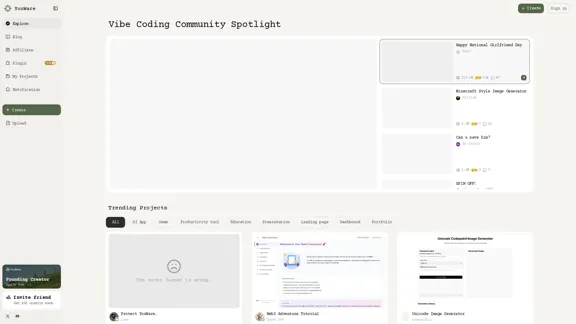
歡迎來到 YouWare,這是開創性的 AI 編碼社區,讓您的想法輕鬆地變成代碼。與其他創作者合作,共同展開激動人心的項目,無需先前的編碼經驗。讓我們一起創造一些驚人的東西!
461.65 K
查看詳情
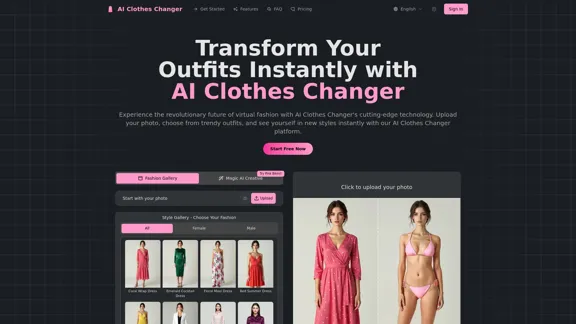
體驗我們免費的 AI Clothes Changer 帶來的便利,您可以輕鬆編輯照片中的服裝。無論您想更換衣服、改變裙子,還是探索虛擬風格,您都可以在線完成,無需下載。
433
查看詳情
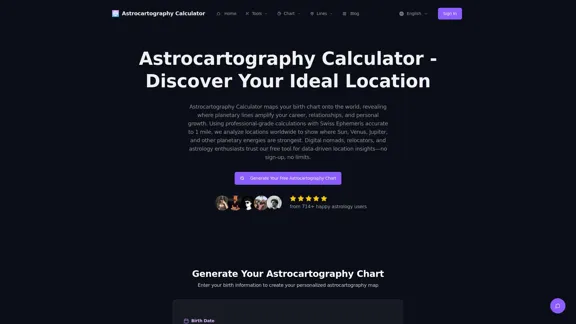
使用我們的免費AI驅動計算器探索您的個人星圖地圖。發現精確的行星線,並獲得有價值的搬遷見解,所有這些都能即時解讀地圖。享受無廣告的體驗,無需註冊——只需準確的AI增強星圖地圖,隨時隨地可用。
--
查看詳情
雖然許多 AI 圖像工具僅專注於設計的某一方面,但 Pikto AI Studio 通過在一個方便的平台上簡化整個視覺創作過程,採取了全面的方法。
1.09 M
查看詳情
使用我們先進的 AI SVG Generator,輕鬆將您的文字轉換為美麗的 SVG。毫不費力地設計引人注目的標誌、圖標和矢量插圖。免費試用!
169.95 K
查看詳情
在 Smart Palette,您可以輕鬆創建和訂購令人驚嘆的自訂藝術作品和印刷品,這些作品專為符合您的獨特風格和空間而設計。無論您是想提升您的家居還是辦公室,我們都有適合您的設計,能夠反映您的個性。
0
查看詳情
輕鬆地為您的電子商務商店創建驚人的產品模型,使用我們的 API 和整合。只需插入您自己的 Photoshop 模板,然後靜待奇蹟發生!
80.35 K